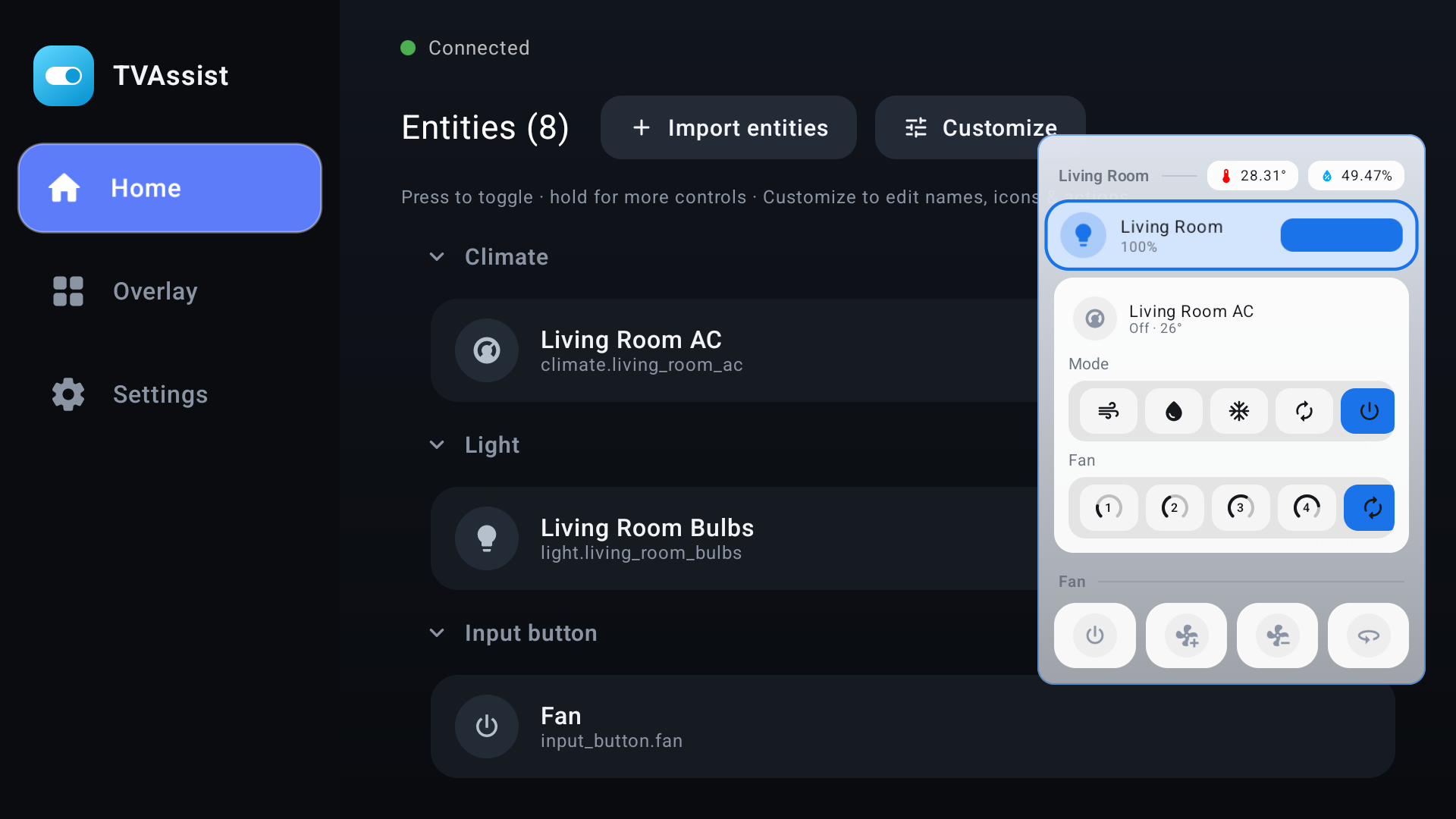
TV Assist puts a Home Assistant control sidebar over any app — summoned with your remote — and lets Home Assistant push notifications, cameras, and text-to-speech straight to your TV. All over your local network.
Free & open source · Works with any Home Assistant instance
Control Home Assistant from the couch, and let Home Assistant reach back out to your TV — notifications, cameras, and voice.
Summon a Home Assistant sidebar over any app with a remote key. Toggle lights, switches, and scenes — navigated entirely by the D-pad.
In the appPush toast & banner cards with a title, message, MDI/Iconify/URL icons, custom colors, corner, and size — straight from HA automations.
Pushed from HAShow a camera snapshot, a live camera stream, or any image/video URL on the screen — perfect for a doorbell pop-up over your show.
Pushed from HAAnnounce messages through the TV speakers with audio ducking and queueing, or play chimes / MP3 / WAV with looping and volume control.
Pushed from HAPin compact status chips — icon plus text — to a corner like a status bar. Update or clear them by id, and flash them for attention.
Pushed from HAA live WebSocket to your instance and direct LAN push to the TV — no account, no third-party servers, low latency. Handles thousands of entities.
Private by designNo hub and no extra hardware. If you run Home Assistant and have an Android TV, you're minutes away.
Sideload the TV Assist APK on your Android TV. Grant the overlay permission and enable the remote key-capture service.
Create a long-lived token, then enter your HA URL right on the TV — or from your phone via a temporary link the TV shows on screen.
Pick your favorites for the sidebar and set a trigger key. Add the HA integration to push notifications, cameras, and voice to the TV.
Install the companion TV Assist integration via HACS. Each TV becomes a device you target from a dropdown, with five actions — notify, persistent, clear, speak, and play_sound — all configurable right from the Home Assistant UI.
Install TV Assist on your Android TV and control your smart home from the couch — with notifications, cameras, and voice pushed right to the screen.
Yes. TV Assist is a companion for Home Assistant — the app connects to your existing instance over a live WebSocket, and the optional integration pushes notifications and media to the TV. Home Assistant itself is free and open source at home-assistant.io.
TV Assist is built for Android TV — including NVIDIA Shield, most Android TV boxes, and smart TVs.
Press your chosen remote key to summon the overlay sidebar over whatever app is playing. Navigate with the D-pad and toggle lights, switches, and scenes — then dismiss with BACK or let it auto-close.
No. TV Assist talks directly to your Home Assistant instance and the TV over your local network — no account, no third-party servers. It's 100% local push, built for low latency.
Install the TV Assist integration in Home Assistant (via HACS). Your automations call actions like tv_assist.notify or tv_assist.speak, targeting a specific TV — to show a toast, pop a camera snapshot or live stream, pin a status pill, or announce a message through the speakers.
Yes. During onboarding the TV can start a temporary web server and show you a link (e.g. http://<tv-ip>:8484). Open it on your phone or laptop, paste your HA URL and token, and submit — the server shuts off automatically once the TV connects.